Business Ops Dashboard
A Hermes dashboard extension: React UI (IIFE bundle) + FastAPI routes at /api/plugins/hbo-plugin/.
Manifest: plugin/hbo-plugin/dashboard/manifest.json
Bundle: dashboard/dist/index.js (build with pnpm build:dashboard)
Pages
| Page | What you see | Key actions |
|---|---|---|
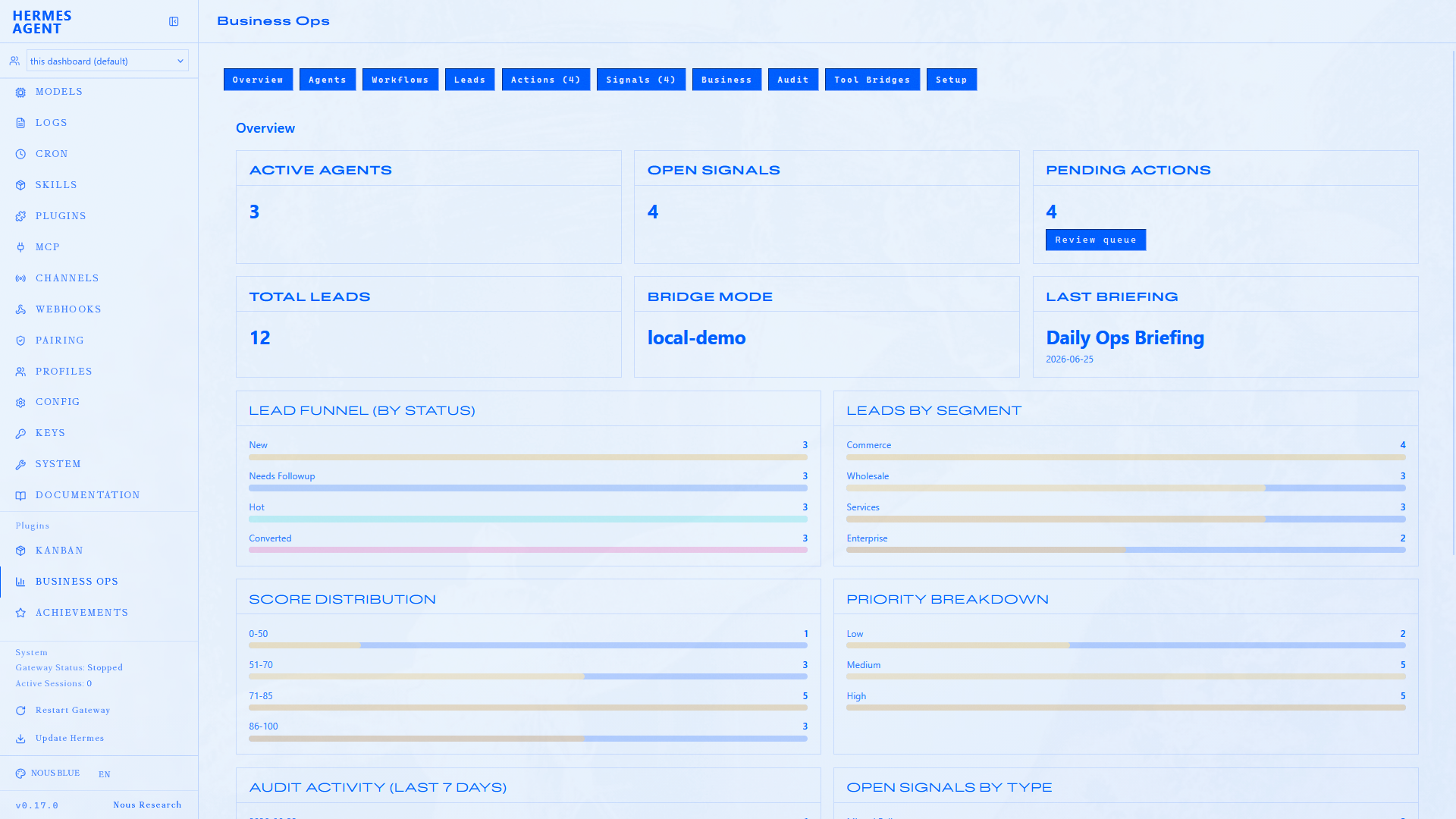
| Overview | Stat cards + bar charts (funnel, segments, scores, audit timeline) | At-a-glance business health |
| Agents | Sales Ops, Growth, Ops Lead profile cards | Agent focus areas |
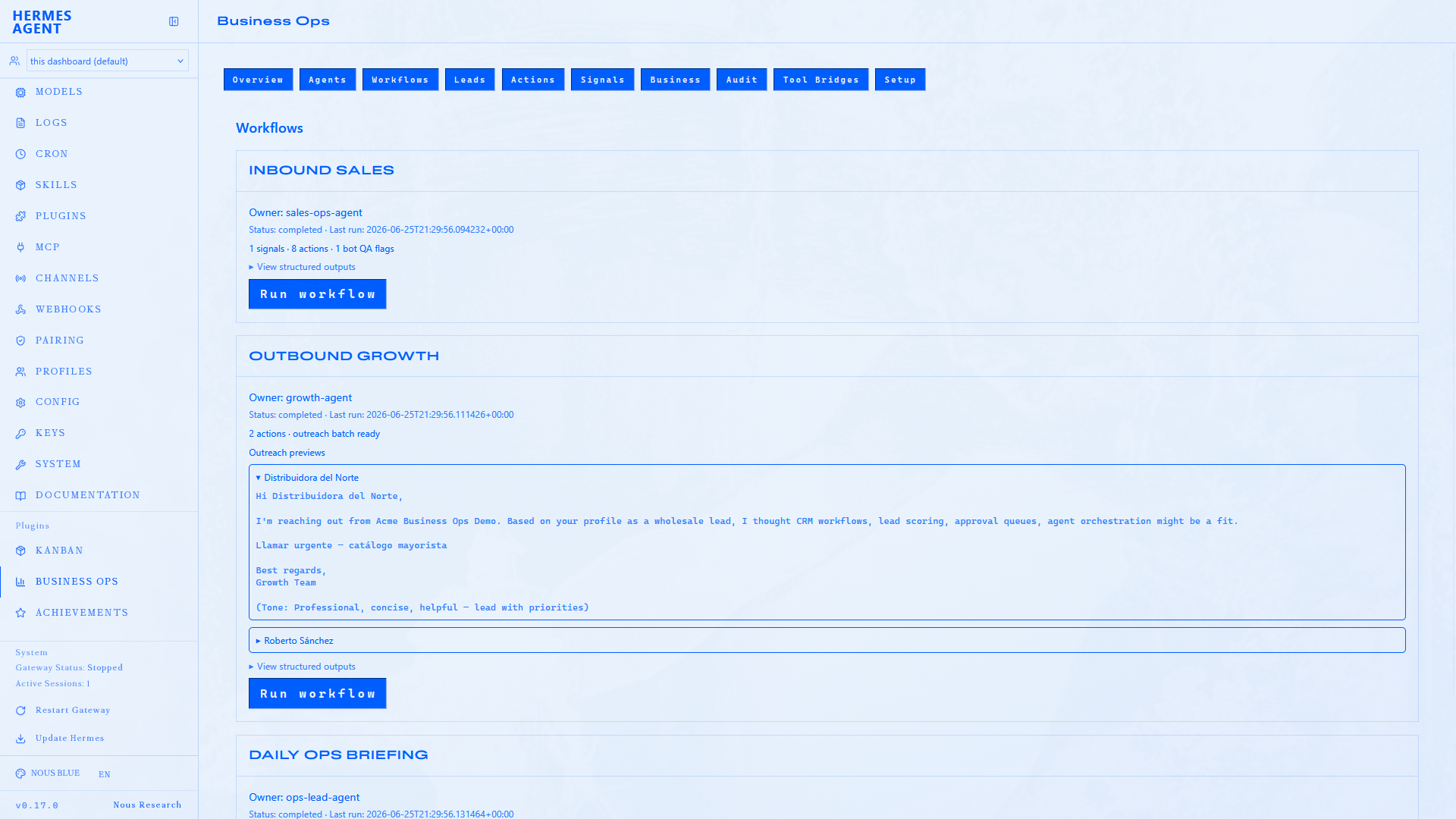
| Workflows | Built-in workflows + output panels | Run workflows; conversation review for inbound_sales; outreach previews |
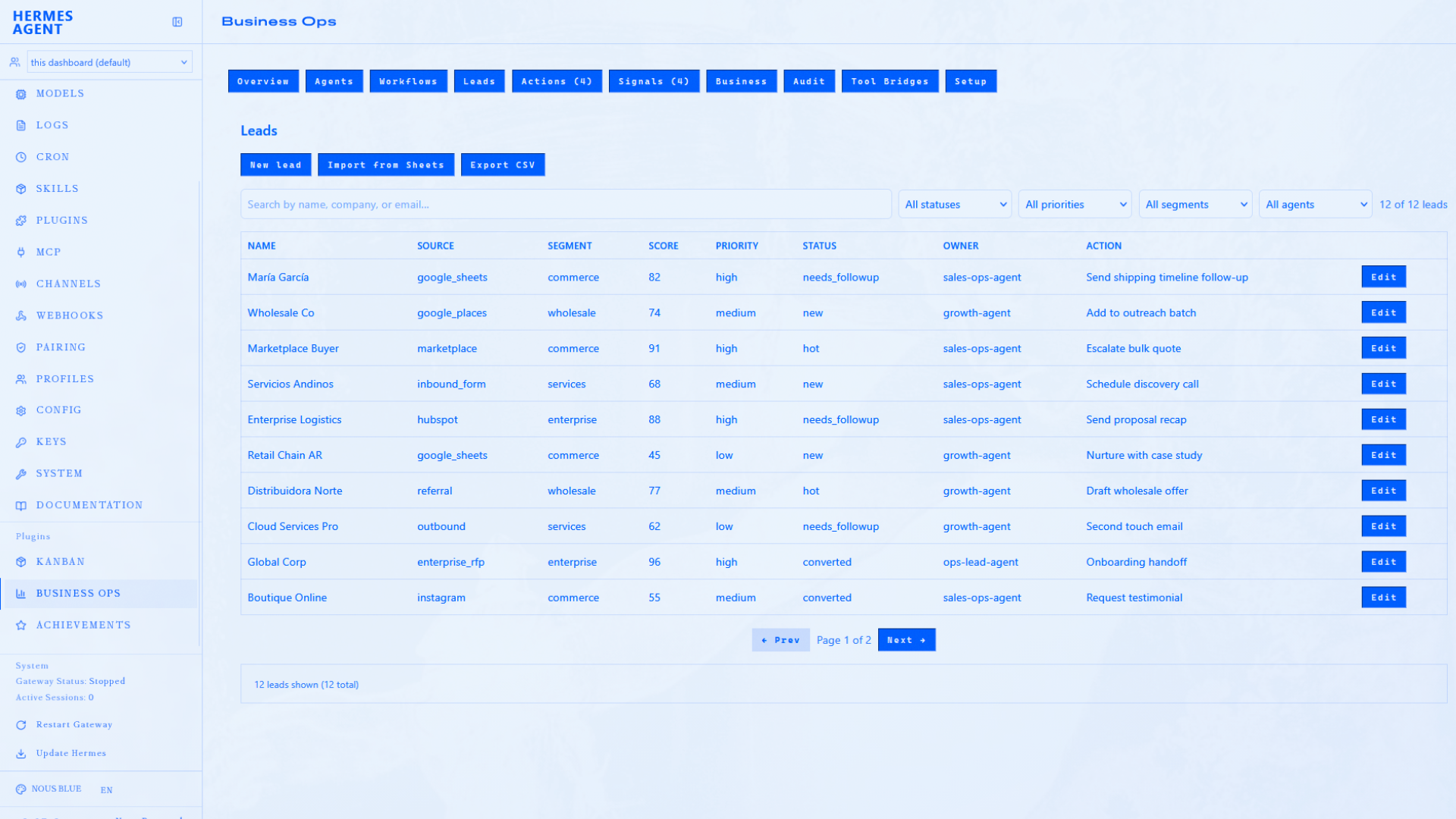
| Leads | Leads table + import from Sheets | CRUD, edit, filters, pagination, CSV export |
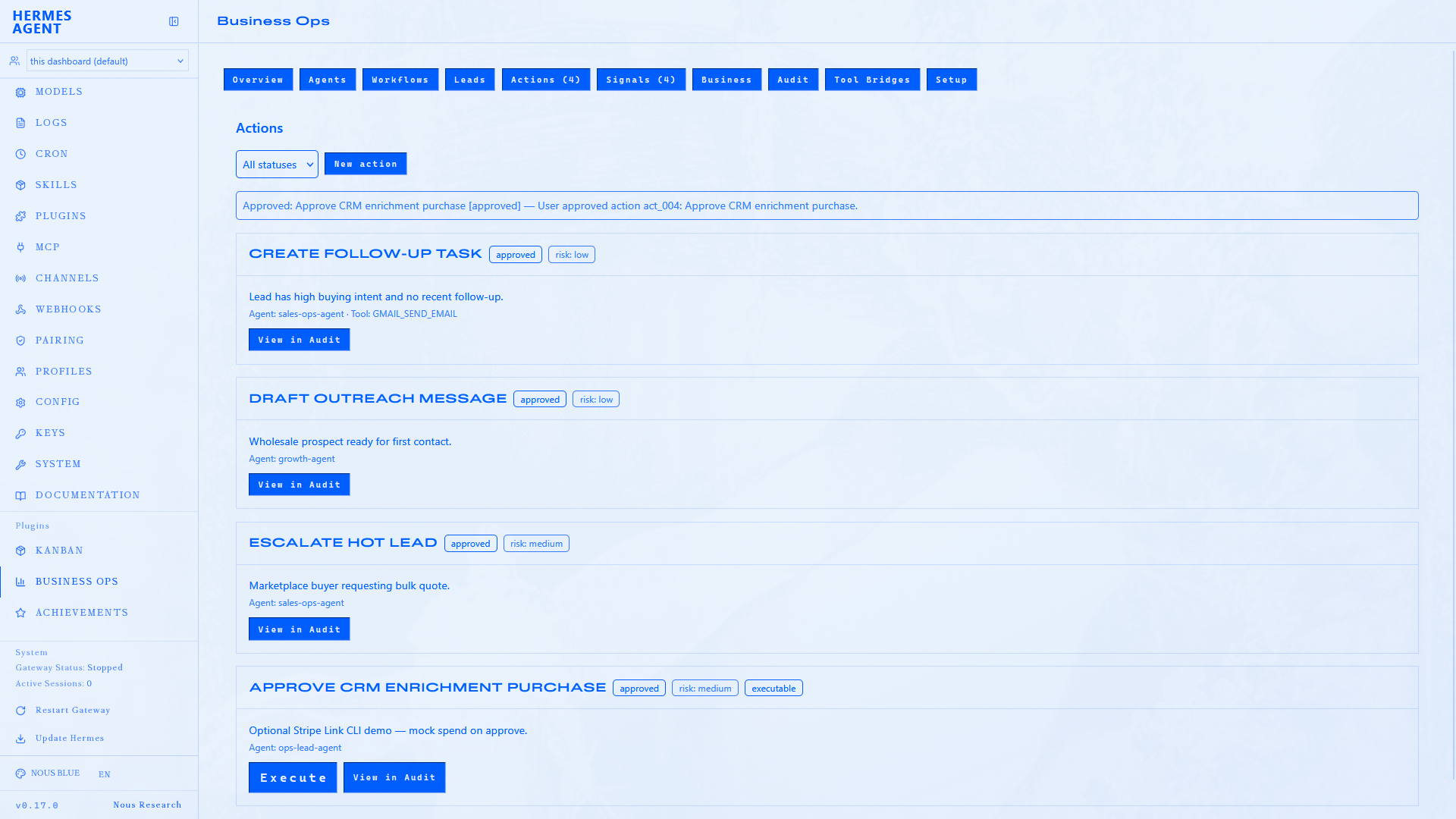
| Actions | Pending and approved action queue | Approve / Reject; Execute on approved actions; Delete non-approved; outreach preview |
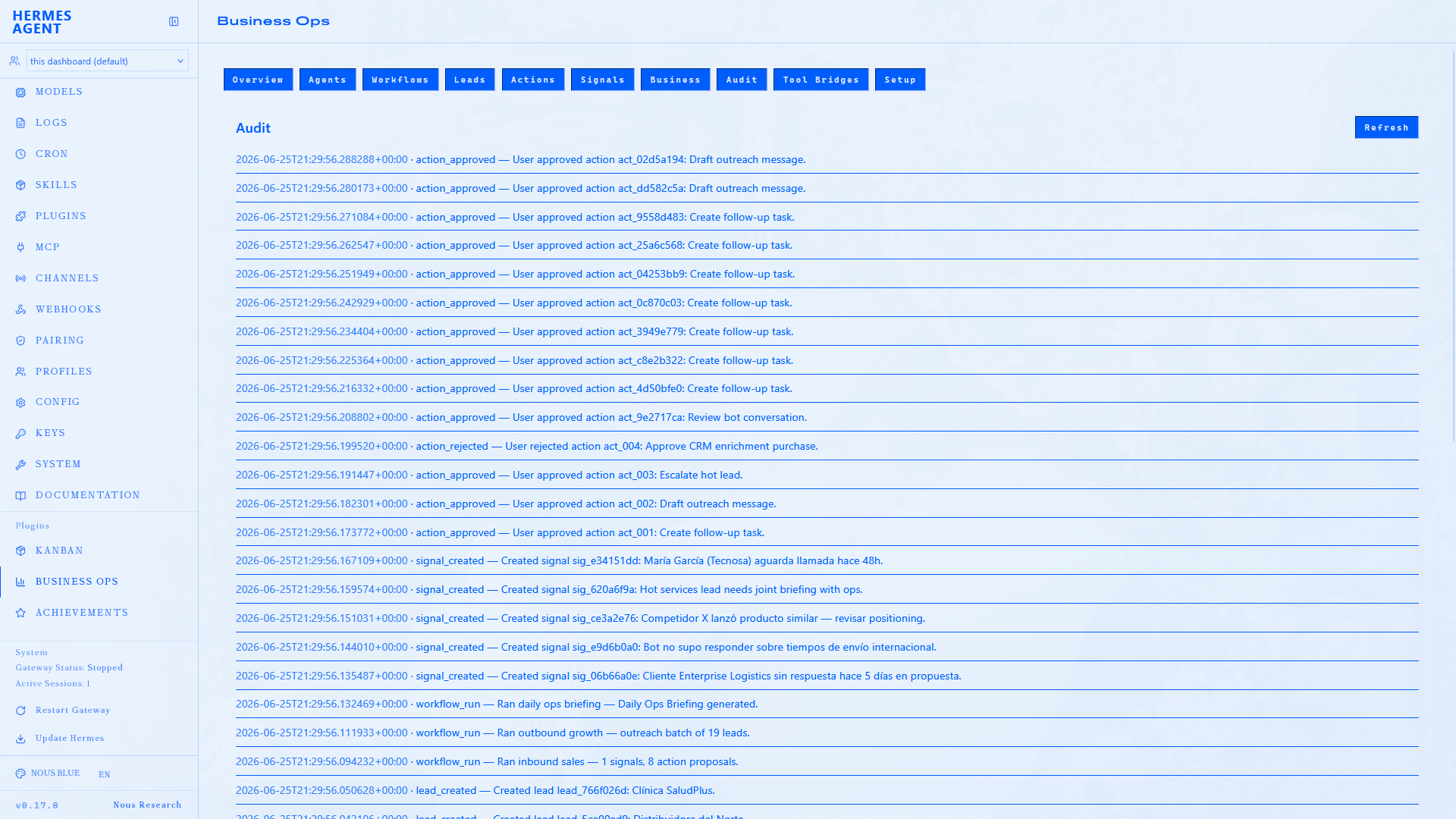
| Signals | Open signals | Create, resolve |
| Business | Business context form | Name, products, tone — agents load via hbo_get_business_context |
| Audit | Chronological decision log | Traceability |
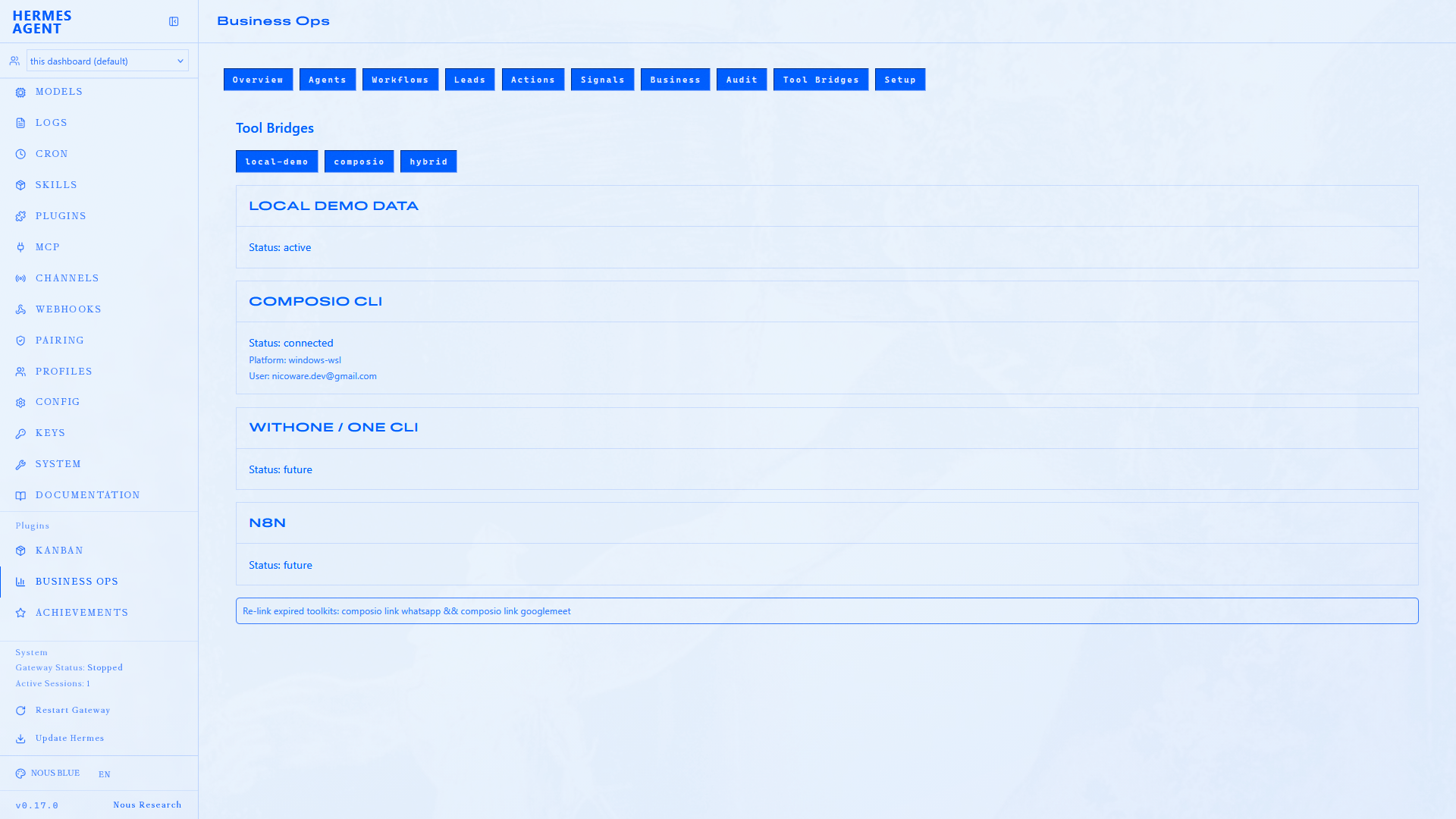
| Tool Bridges | Bridge mode + Composio status | Toggle local workspace / composio / hybrid |
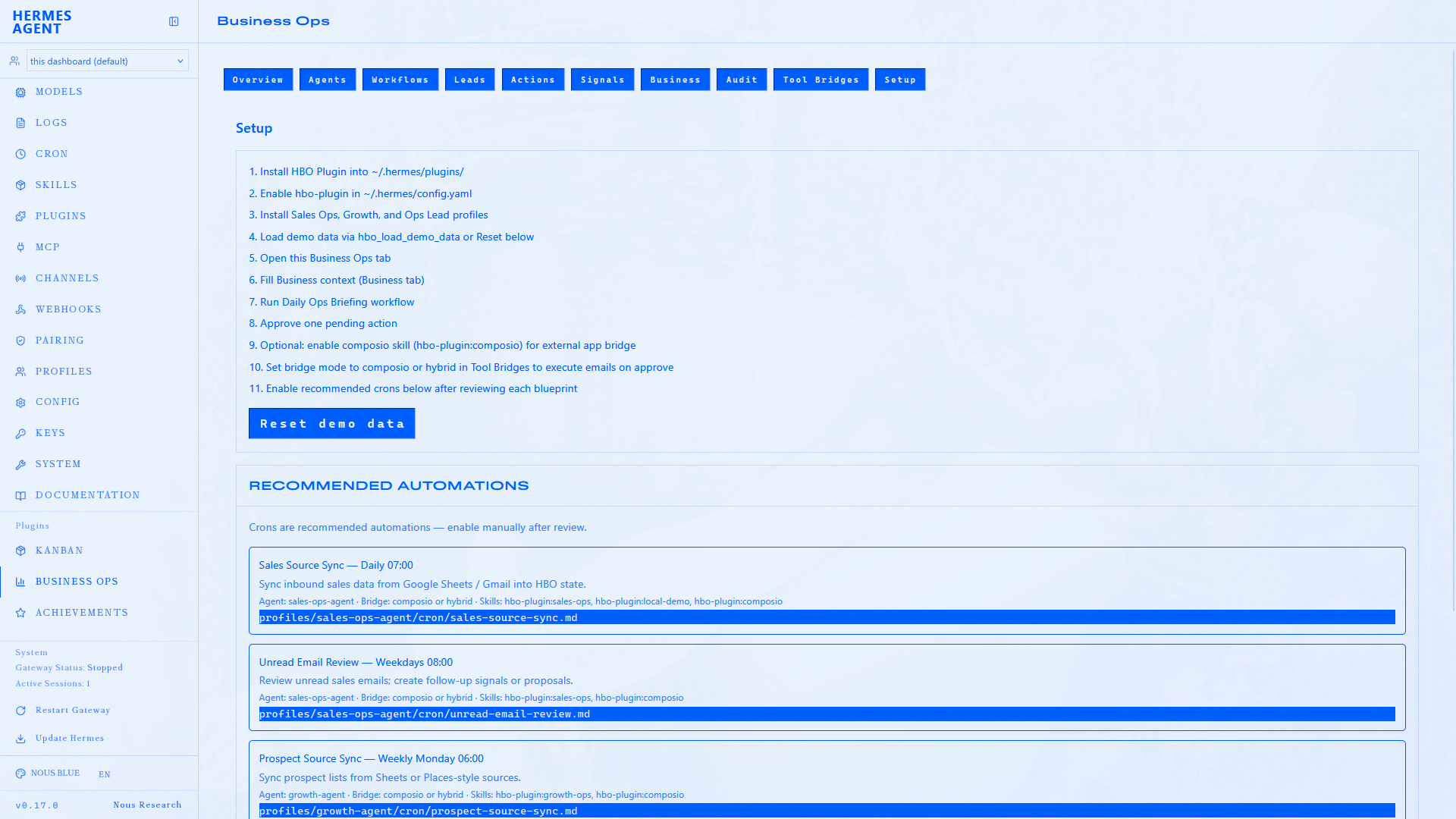
| Setup | Install checklist, workspace restore, recommended crons | Reset demo; Copy enable command per cron |
Screenshots
After Setup → Load demo data, each page reflects the bundled Business Ops Demo workspace.
Overview
Workflows
Leads
Actions
Signals
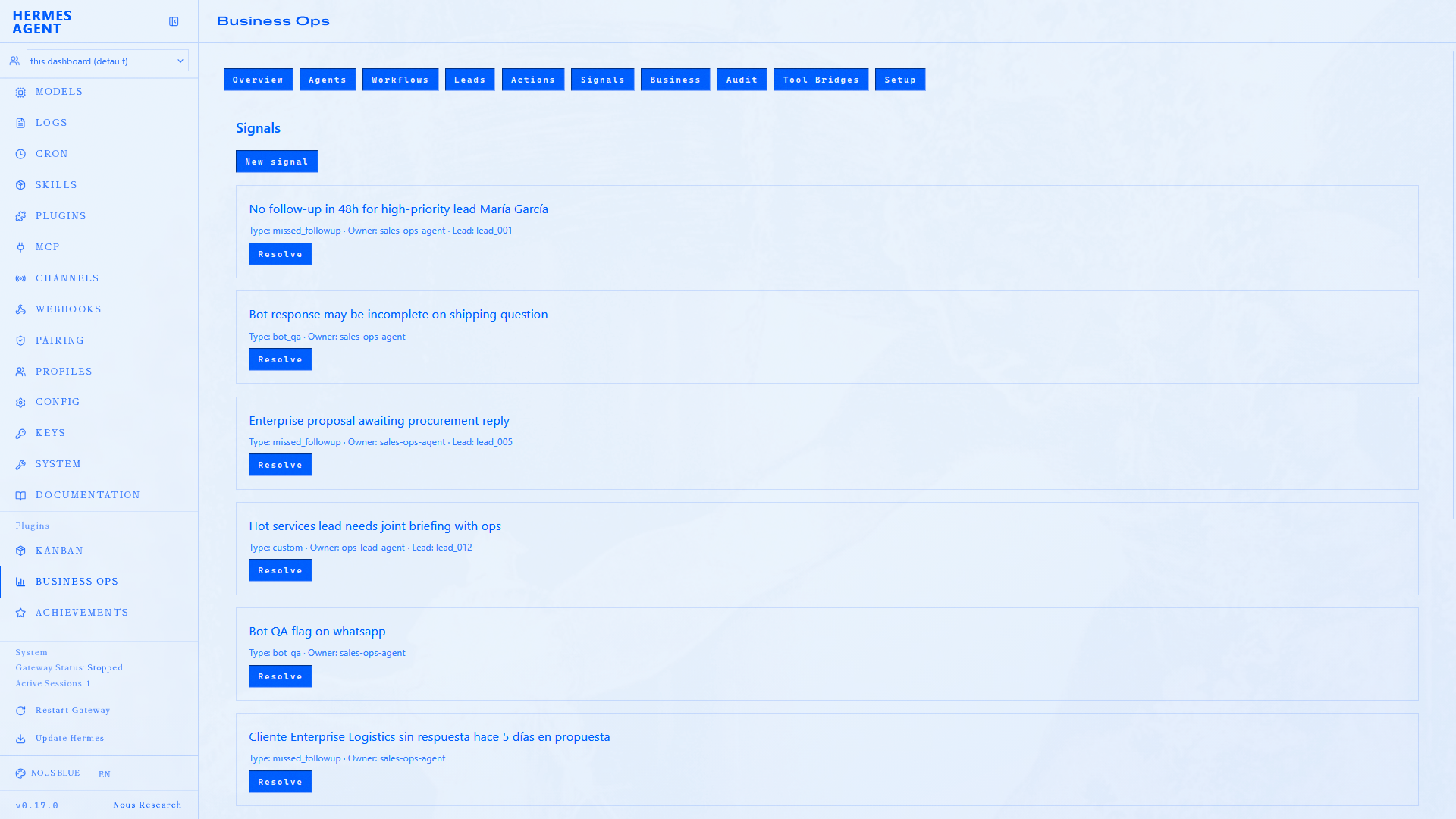
Agents
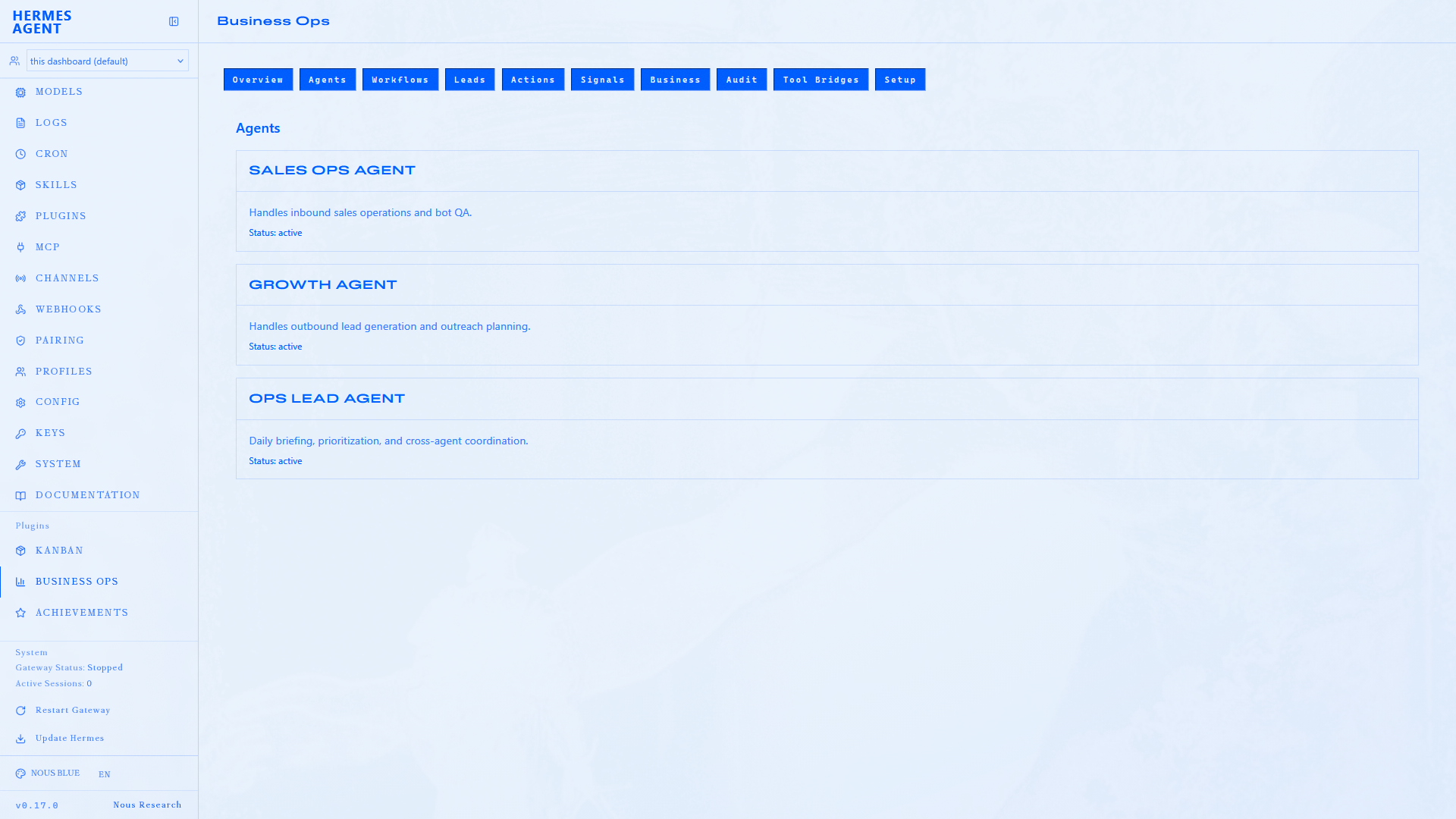
Business
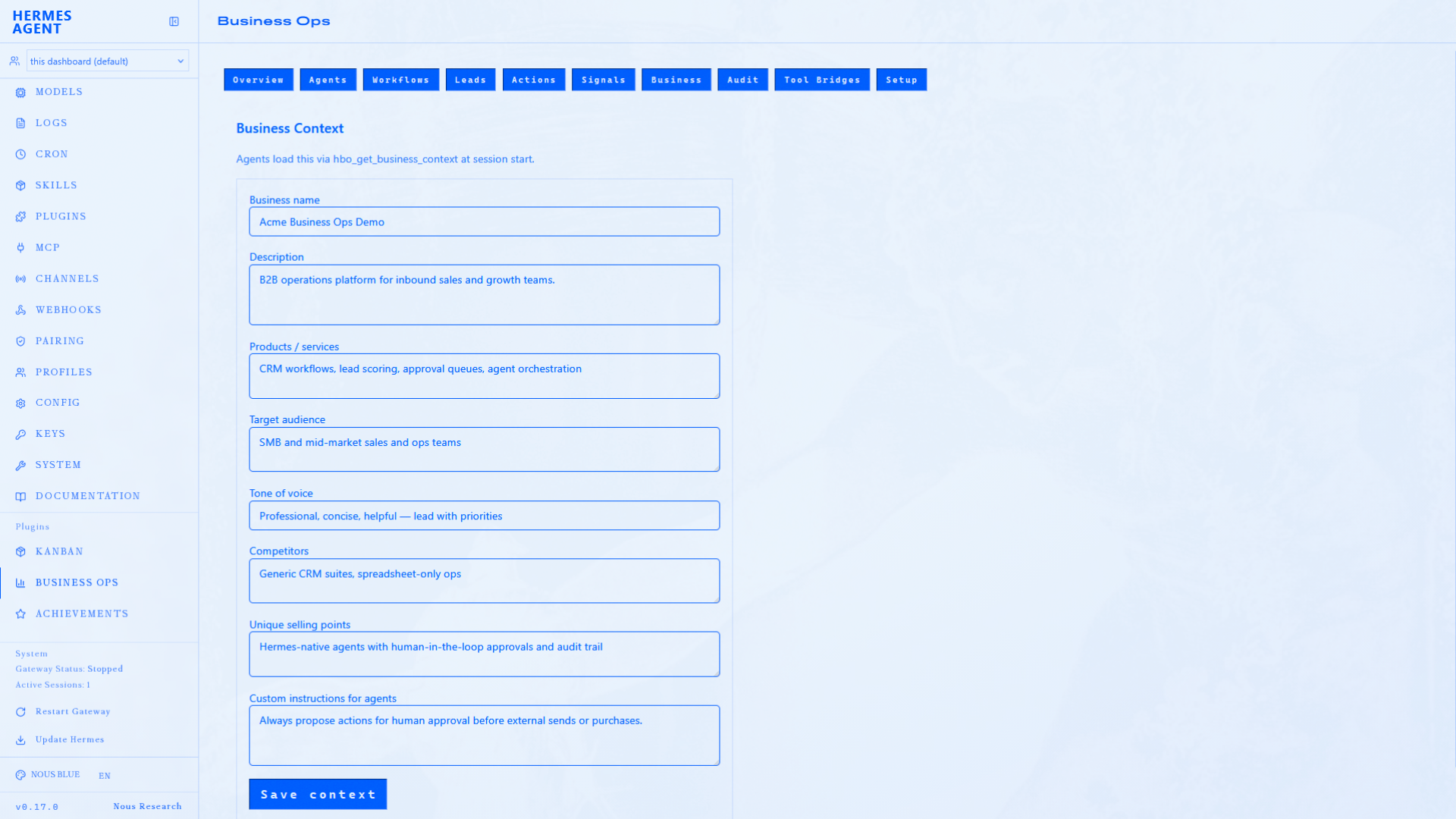
Audit
Tool Bridges
Setup
Overview charts
After install, use Setup → Load demo data to load the bundled lead set and audit history.
Metrics include:
- Lead funnel by status
- Leads by segment
- Score distribution
- Priority breakdown
- Audit activity (last 7 days)
- Pending actions per agent
Approvals in the UI
The Actions page is the operator control surface:
- Lists actions — filter by
pending,approved,rejected,executed, orfailed - Outreach actions show an expandable message preview
- Approve or Reject updates workspace state (audit event recorded)
- Execute appears on approved actions when the bridge allows external effects — separate from approval
- Delete is available on non-approved actions
- Audit page shows the resulting events
Same flow via Hermes chat: hbo_approve_action / hbo_reject_action, then hbo_execute_action when ready.
Conversation review
After inbound_sales, the Workflows page shows a Conversation review panel with message threads for bot QA flags. Approve or reject the linked review action inline without opening raw JSON.
API routes
Backend: dashboard/plugin_api.py
| Route | Returns |
|---|---|
GET /workspace | Workspace summary |
GET /stats | Chart aggregations |
GET /business-context | Business context JSON |
POST /business-context | Save business context |
GET /automations | Recommended cron catalog |
GET /agents | Agent list |
GET /leads | Leads |
GET /conversations | Inbound conversation threads |
GET /conversations/{id} | Single conversation with messages |
POST /leads | Create lead |
POST /leads/import/sheets | Import from Google Sheets |
GET /signals | Open signals |
GET /actions | Action proposals |
POST /actions/{id}/approve | Approve action |
POST /actions/{id}/reject | Reject action |
POST /actions/{id}/execute | Execute approved action when bridge allows |
POST /demo/reset | Restore workspace to bundled sample data |
GET /bridge/status | Composio bridge status |
CLI tool hbo_sync_sales_sources mirrors the sales-source-sync cron (import + audit).
Requirements
- Plugin installed to
~/.hermes/plugins/hbo-plugin dashboard/dist/built and present- Hermes dashboard restarted after plugin install or update
If API routes return 404, run ./scripts/install-hbo.sh and restart the dashboard. If charts are empty, use Setup → Load demo data.
Related
- Install — setup and troubleshooting
- Integrations — Composio, NVIDIA, Stripe
- How it works — approval loop detail